A new way to trial BENOCS Analytics

Blue container with a white cube on the front side

We would like to test BENOCS Analytics tomorrow with our live data. Is that possible?

That’s a question we’ve often heard from interested customers who want to understand how our analytics performs on live network data, not in a generic demo.

Until now, that wasn’t easy to deliver. Our proof-of-concept deployments used the full BENOCS architecture, and while that ensured accurate results, it also meant setup times of six to eight weeks. It also required hardware procurement, exporter configuration, security configuration, and coordination between multiple teams. The outcome was reliable, but the waiting time slowed evaluation and engagement.

Now, that’s changing. We’ve built a new Kubernetes-based trial environment that allows customers to test BENOCS Analytics with their own NetFlow, BGP, SNMP, and DNS data in a standardized environment within two weeks. Each trial runs in a dedicated namespace with its own set of BENOCS pods. Rest assured, each namespace is separated from all other, keeping your data fully within the space of your test environment.

By using Kubernetes pods, BENOCS to keeps the integrity of a full deployment at a smaller scale but considerable reduces time to see results in Analytics. It’s still your data, your network, your insights but available much faster through a smarter and automated setup.

Why we changed the way trials work

Over the past years, BENOCS Analytics has grown into a comprehensive visibility platform used by operators worldwide. But as our deployments matured, we noticed that the proof-of-concept stage became a bottleneck. Customers wanted to explore analytics capabilities sooner, while our team needed to maintain the quality and accuracy of a full deployment. We couldn’t compromise on either.

So, the question became:

How do we make trials faster without compromising on accuracy?

The answer came through containerization and automation. By moving the trial architecture into Kubernetes, we removed the dependency on manually provisioned systems, reduce complexity for the customer and made trials far faster to set up.

How the new trial works

The customer connects their network via an encrypted IPsec connection. Through this all data can be exported directly via the Internet to the trial setup.

  • Flow (Netflow, sflow, IPFIX, etc.) sampled data plane exports for traffic visibility
  • BGP sessions for exporting the FIB (Forward information Base)
    • This also allows for topology information via BGP-LS
  • SNMP/Telemetry for device counters and configuration
  • Cache missDNS data via dnstap used for application tagging and identification

All incoming data flows into our backend structure just like any production environment, which powers BENOCS Analytics. Within a few days of setting up the data feeds, most customers see live analytics in their environment.

The technical foundation: why Kubernetes

Kubernetes gives us the flexibility to create, move, update and decommission trial environments quickly while keeping them isolated and predictable. Each customer trial is effectively a self-contained version of BENOCS Analytics that runs on shared compute but with strict network and data separation.

  • Automation: Kubernetes handles deployment, scaling, and health checks automatically.
  • Consistency: Every trial uses the same container images, infrastructure code, and configuration templates, reducing variability.
  • Resilience: failures on any level can be mitigated fast and automatically
  • Scalability: Extending trails or adding more trails – Kubernetes allows for a lot of flexibility.
  • Efficiency: Shared resources mean lower overhead without sacrificing performance or security.

By combining containerization and infrastructure-as-code, we now spin up customer trials in days instead of weeks with no compromise on security or stability.

What customers need to provide

To start a trial, here’s what we require:

    1. A /29 IPv4 subnet from your Network. These Addresses will be routed via the IPSec tunnel and are assigned to Pods, allowing direct access to the trial infrastructure from your network.
    2. Basic network infrastructure information such as Loopback addresses and Names of the routers the test is run with. Each router will need information from:
      1. iBGP where BENOCS is configured as an rr-client
      2. Netflow/IP source port for sample export
      3. (optional) SNMP/Telemetry information for configuration and status

    NOTE: The trial is limited to certain routers. A full deployment does not need this information anymore as will pick up the entire network via IGP/BGP-LS.

    1. (optional) Export of DNS Cache misses as a dnstap stream

Once these details are shared, our DevOps team uses automated infrastructure code to generate the customer configuration and deploy the stack. When the IPsec tunnel is up and the sufficient data has arrived to draw statisticial conclusion (usually around 48 hours), dashboards start populating automatically.

What we can support

Each trial is designed to balance performance and resource efficiency. As such, trials are limited to:

  • Up to 6 edge routers
  • Up to 50 external peerings
  • Peak traffic depending on the sampling rate
    • 2 Tbps at 1 : 10000
    • 200 Gbps at 1 : 1000
    • 20 Gbps at 1 : 100
  • Flow volume target under 2 MByte/s or 16MBit/sec
  • 60 days of historical data

This ensures consistency across customers while keeping the experience close to production quality.

The road ahead

The Kubernetes trial program is now ready for onboarding. Our goal is to make it effortless for you to experience BENOCS Analytics in a fast, secure, and reliable environment.

If your team has been curious about BENOCS but waiting for the right window to try it, that window just opened. Reach out to sales@benocs.com or any one of the BENOCS team to get started.

A revamped interface dimension in BENOCS Analytics

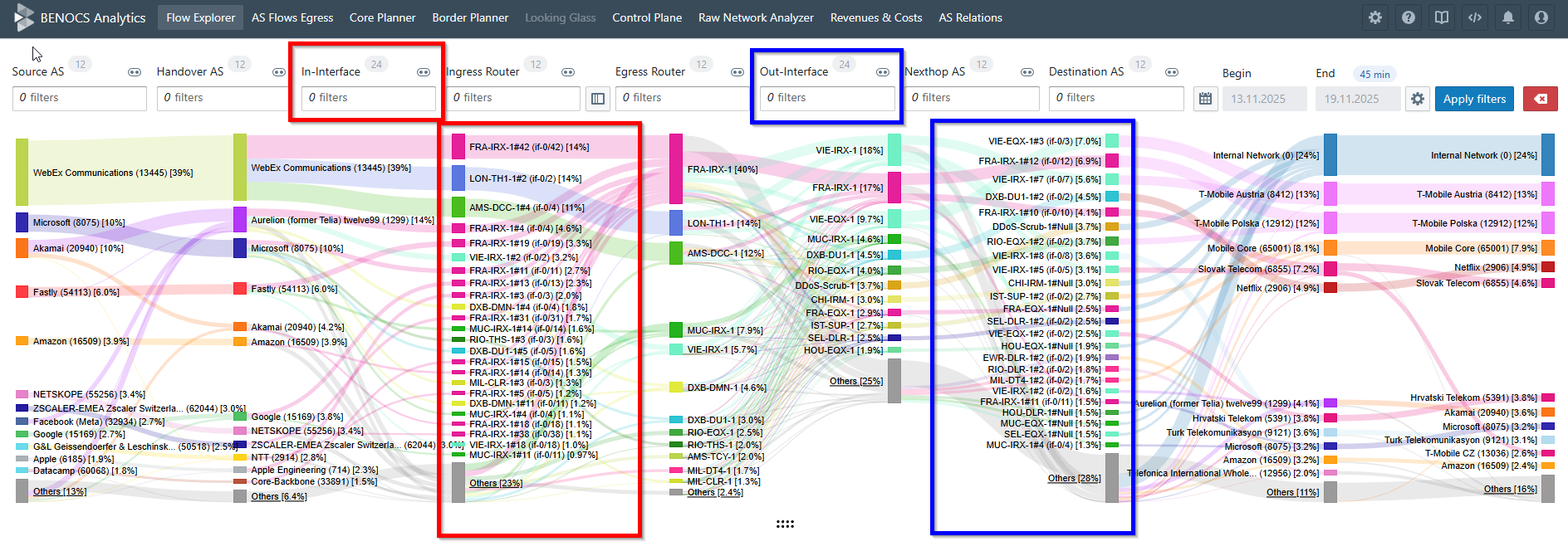
Detailed interface layout of BENOCS Analytics, showcasing various dimensions and data connections with color-coded sections.

BENOCS Analytics shows where a flow leaves a network on a router (Egress Router dimension) and peer (Nexthop AS dimension) level mainly from BGP information. Our customers kept asking for one thing:

Can we filter by the exact interface and see traffic flows?

Yes, now you can!

Our new interface dimension lets you see both in-interface and out-interface per flow automatically, so you don’t have to trace packets manually.

This post covers why it matters, what has changed, and how BENOCS’ new interface dimension works.

Why it matters

In many networks, bundled/aggregated links create a neat and easy 1 Interface ↔ 1 Nexthop AS mapping. From Egress Router and Nexthop AS, you can often deduce the interface, but that’s not always the case. Take for example:

  • Multiple parallel (non-bundled) routes to the same Nexthop AS: You want to know which link carried the flow, mainly for capacity planning, traffic engineering and troubleshooting .
  • IXP scenarios: Several Nexthop AS values may share the same physical interface. You still want to see the exact interface that is used.

In these cases, the exact in-interface and out-interface makes a difference.

With this new feature you can:

  • Perform per router, per peer, per interface traffic checks.
  • Compare loads across parallel routes.
  • Trace a spike to a single ingress port.
  • Give peering and capacity teams clean evidence.
  • Help first-line NOC cut guesswork.
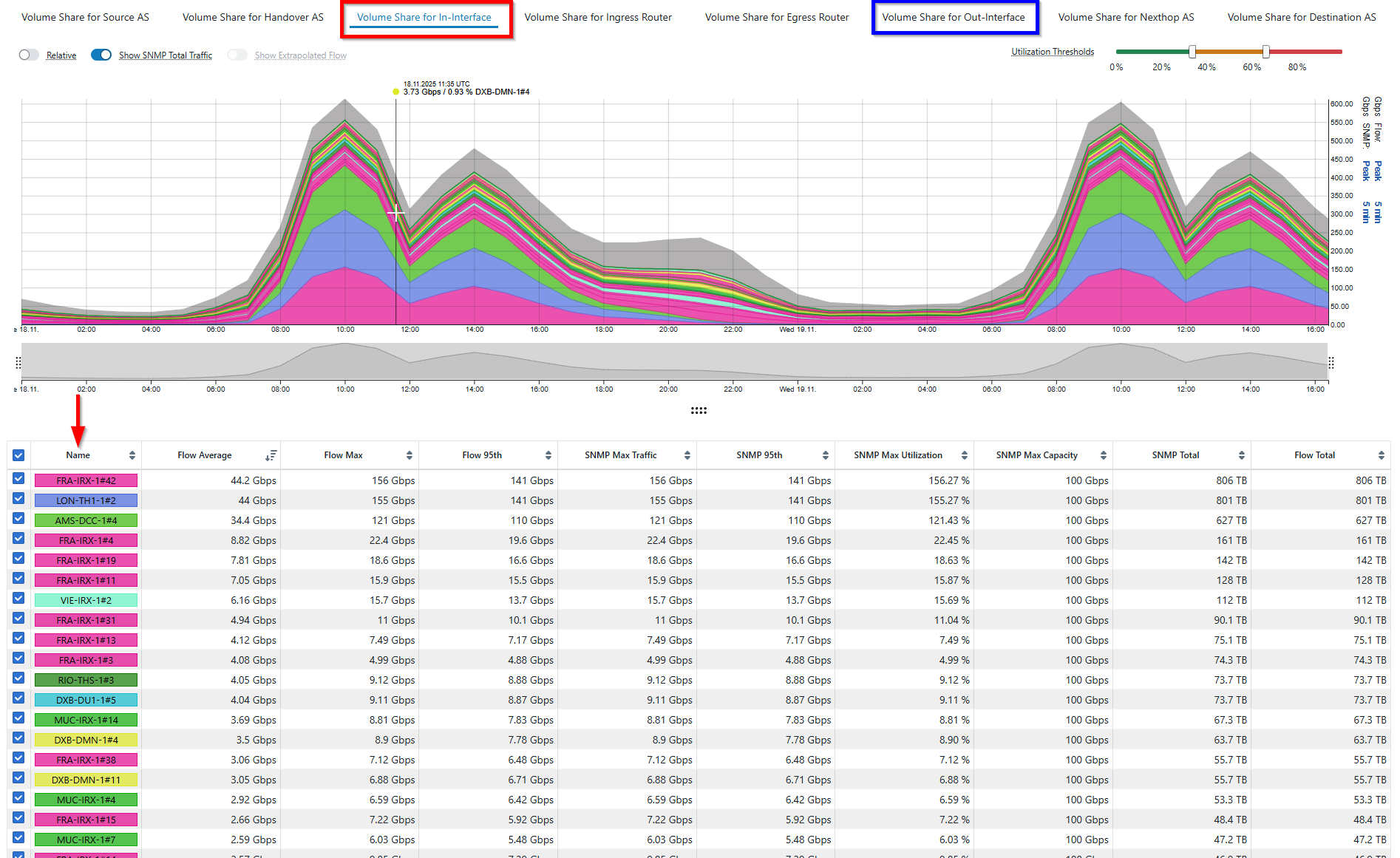
Line graph displaying volume shares for various interfaces in BENOCS Analytics, with data tables below.

What exactly has changed?

There is a whole new interface dimension in Flow Explorer!

You can now:

  • Filter by router, interface or the peer connected to it
  • See the interface name (e.g. AE 1.0) and index (e.g. 139)
  • View both in-interface and out-interfaces of ingress and egress routers
  • Hover over a particular interface to see the interface description
  • Use autocomplete to find ports fast

This is part of the overall BENOCS Flow Analytics improvement. It is free for all our customers and users!

Interface description is now live in Border Planner, and soon support will be extended to Raw Network Analyzer (RNA).

How it works

  1. Open presets and pick interface level
  2. Filter by either router or peer and deep dive into different interfaces.
  3. Hover over any interface to see description, name and index.
  4. Switch between in-interface and out-interface dimension above time series to focus on the volume share and all info in the statistics table.
  5. Additionally, interface description support has been extended to Border Planner too.
  6. In Border Planner, right-click and choose “Show ingress in Flow Explorer” to filter the specific interface.

What we need from you (clean data tips)

  • Enable flow export on core-facing interfaces (ingress) that feed your egress routers.
  • Verify router/interface metadata (labels, names) are consistent so that reports look the way you expect.
  • Contact your BENOCS representative to turn on Interface dimension and validate if everything looks right in your Analytics dashboard.

Frequently asked questions

Is this a paid add on?

No, it’s completely free.

Where else will I see it?

Interface descriptions are live in Border Planner. Support will be extended to RNA

Will it work for IXPs?

Yes, when multiple nexthop AS values share the same physical interface (common at IXPs), the feature reports the actual interface used.

Pricing that scales with your network; not your hardware or headcount

Colorful chart displaying network traffic flow through various dimensions and communications providers

Why it matters

The networks of ISPs change frequently: new peers are added, fresh POPs are built, migration to new hardware is undertaken, and more. Ever changing networks sometimes brings changes to the teams too like NOC shifts, peering, security and capacity planning. A network observability tool is integral to network operations to monitor and make sure traffic is flowing uninterrupted, irrespective of the changes. If the pricing of the solution changes per flow, per router, per peer or per user, then it turns normal engineering work into budget surprises and access bottlenecks.

That is why we at BENOCS adopted an alternative approach to pricing: one service fee aligned to your committed peak traffic levels, a nominal traffic fee only when traffic levels grow beyond that commitment, and, last but not least, unlimited user licenses for your organization. Another added bonus: your favourite sampling rate does not affect the price.

Cool, huh?

How do we determine pricing?

We provide customized pricing for each network and the pricing is determined by the complexity of your network. We collect the following network KPIs to evaluate network complexity.

  • Peak throughput traffic on the network: The peak traffic that traverses your network. Any bit counts only once; no double-counting for ingress and egress
  • Number of full BGP table routers that export flow: usually the internet-facing border or edge routers
  • Total number of routers: Including all your access- and aggregation routers
  • Number of BGP peers: includes all the upstreams, downstreams, peers, caches, CDNs, and IXPs (we consider private peers separately, while an IXP will be counted as one peer) connected to your network.

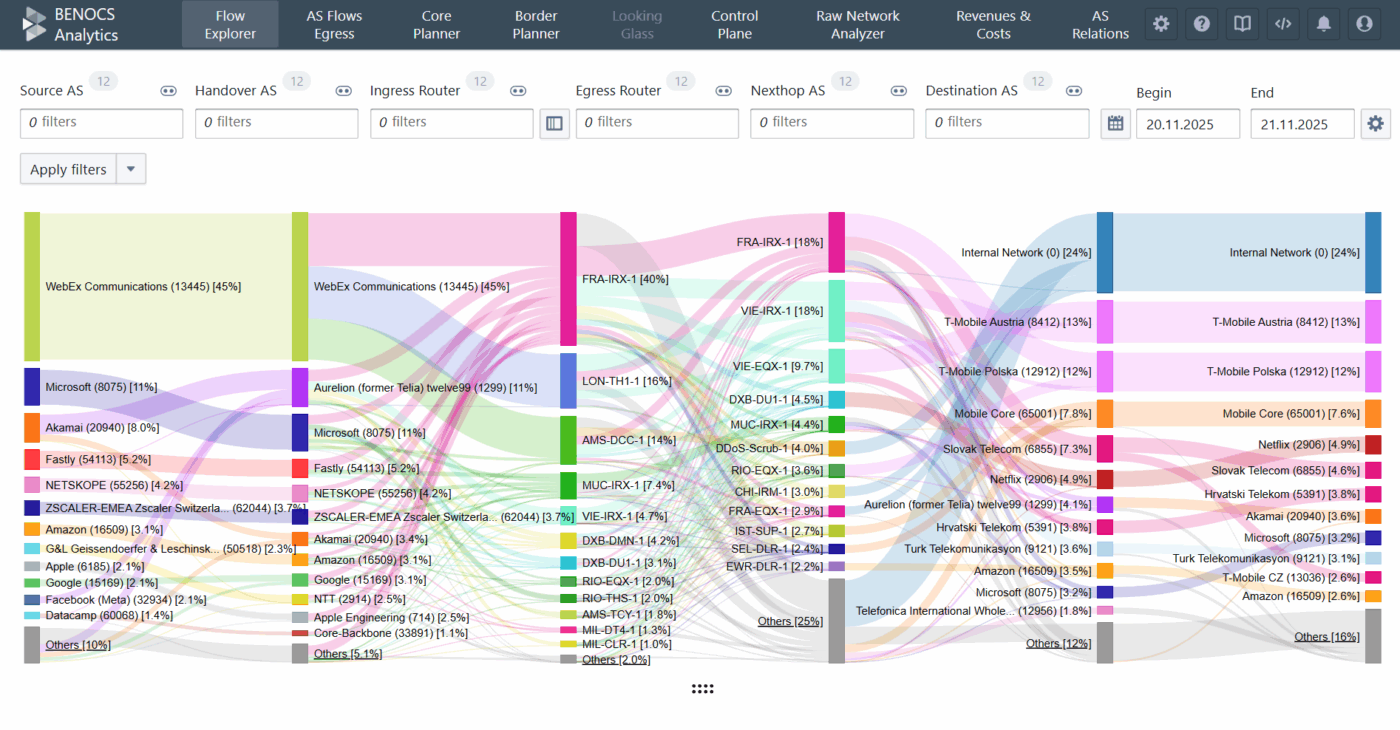
Now you might wonder: how does this help us calculate network complexity? Each KPI above constitutes a dimension in our post-processed data and allow us to calculate the number of unique flows in your network. We measure traffic on the incoming side of the ingress interface on your full-table BGP router. This router could either be an edge router facing the internet or a customer-facing router. These routers are displayed in the Ingress Router dimension in the Sankey diagram of our Flow Explorer.

BGP provides us with the complete AS path of the traffic and that AS path also includes the IP address of the router from which traffic egresses (even if they don’t export flow). These routers are the total number of routers in the network and are displayed in the Egress Router dimension of the Sankey.

On either side of Ingress and Egress Router dimensions, we display both Handover and Nexthop ASes which comprise BGP-peers (usually Transit, PNIs, Peerings, CDNs and caches) and downstream networks.

When you combine these dimensions with Source ASes sending traffic to your network and Destination ASes, where traffic terminates after leaving your network, the 6-dimensional Sankey is complete.

Colorful flow diagram showing network connections and data between various entities
6-Dimensional source to destination visibility

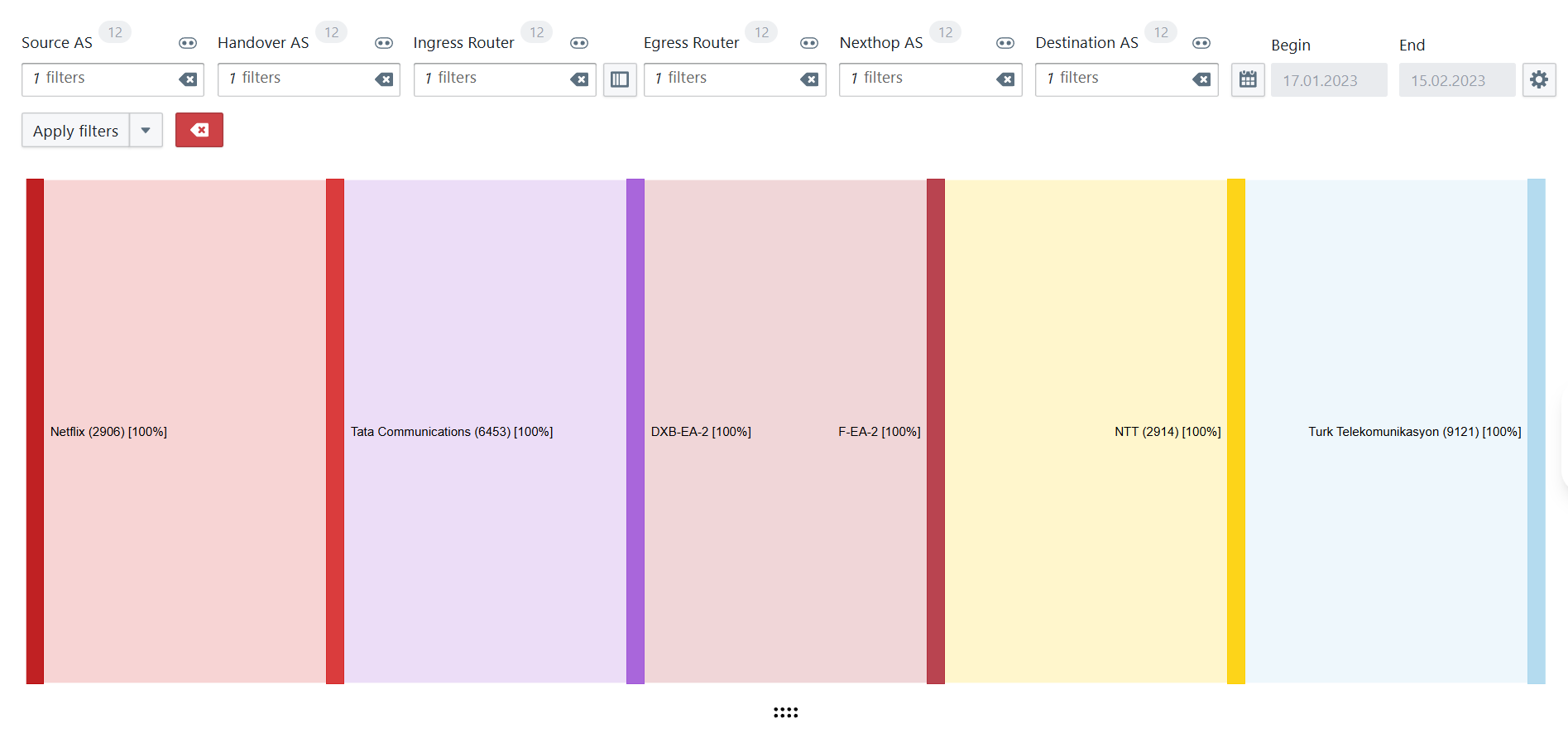
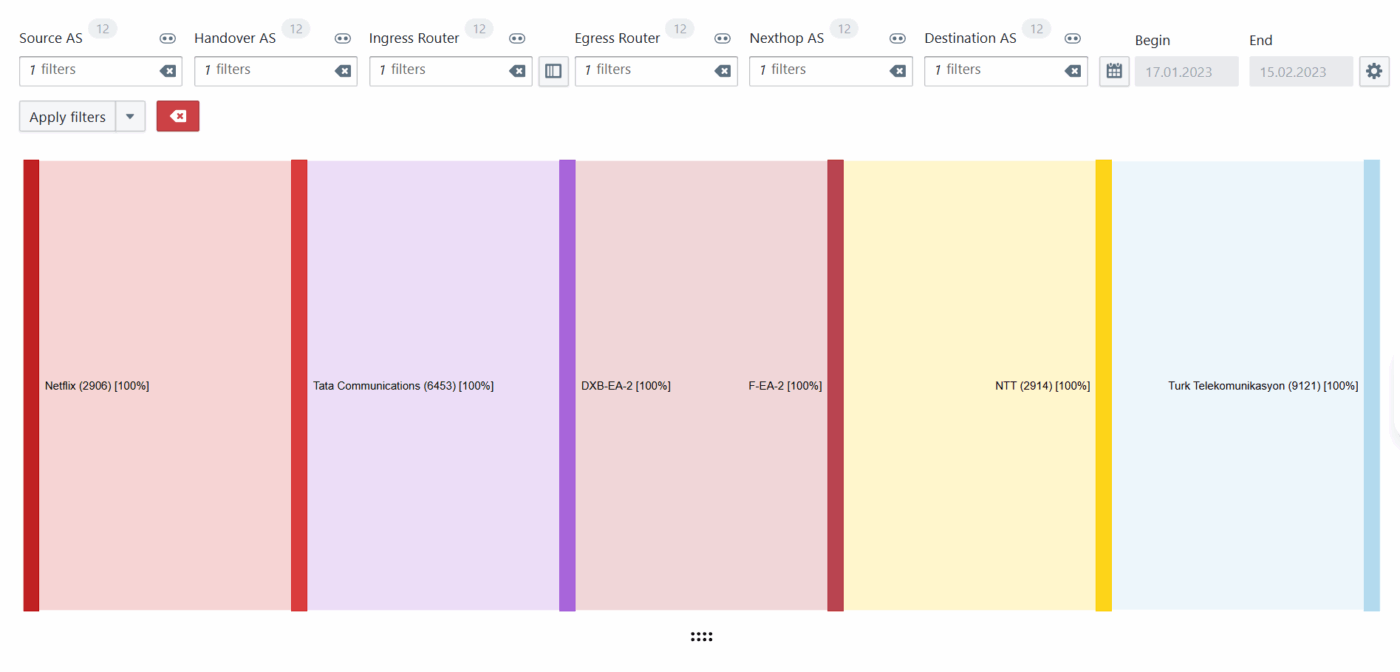
Now the goal is to find number of unique flows and it can be best explained with an example. Using filters across different dimensions, you are able to see below a path of Netflix traffic entering via Tata as Handover and terminating into Turk Telekom via NTT.

Colorful chart displaying network traffic flow through various dimensions and communications providers
Unique flow explained

Similarly, we are able to calculate the total number of unique flows in each network and add that to the peak traffic levels to determine complexity. Once the complexity is determined, a service fee is now provided for a peak traffic commit. Traffic fee appears on the invoice only if sustained peaks exceed the traffic commitment, because higher sustained peaks generate more flow records to ingest, enrich and store, that means: more data to process and analyze. This fee simply covers that incremental processing load when utilization genuinely grows.

Why this suits ISPs’ economics (and operations)

  • No growth tax on topology: You can add any number of new peers or redundant routers, but the pricing doesn’t jump if utilization doesn’t.
  • No gatekeeping on access: Unlimited licenses mean NOC, engineering, peering, security and management executives can all see single source of information. Billing follows utilization, not headcount.
  • Predictable budgets: The primary variable to plan is your network’s traffic. Only sustained growth triggers a small, clear traffic fee.

What you will and won’t see on a BENOCS invoice

  • Service fee: aligned to the peak traffic you commit to
  • Traffic fee (only if applicable): nominal, contract-defined, when sustained traffic peaks grow beyond the commitment.
  • Absent by design: per-router, per-peer, per-user license add-ons.

Here's an example:

You commit to 1.4 Tbps of peak traffic at the start of the contract and add two new routers in two different PoPs for resilience. If peaks stay at 1.4 Tbps, your invoice doesn’t change. If peaks sustainably move to 1.55 Tbps, you will see a small transparent traffic fee. We will recommend lifting the commitment at renewal if that level persists.

Do you want an estimate of our Analytics solution for your network?

Reach out to us at sales@benocs.com for a customized quote.

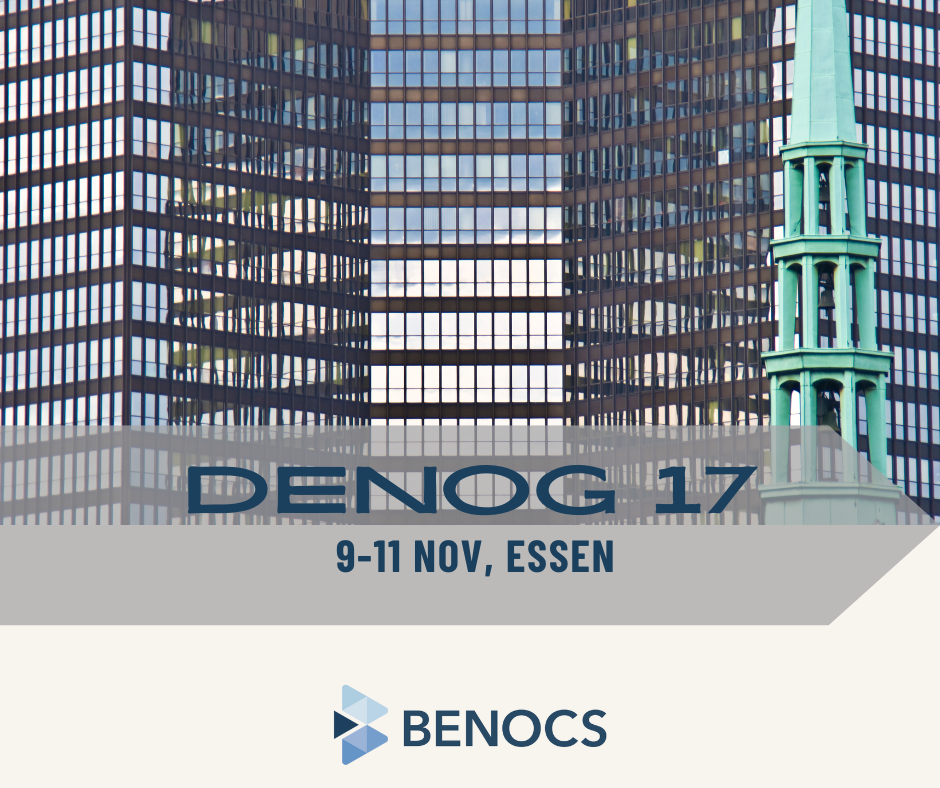
DENOG

In the background a close-up, abstract photo of the Essen town hall. The text reads: DENOG 17, 9-11 Nov, Essen. At the bottom is the BENOCS logo.

Next up: DENOG 17 in Essen!

From 9-11 November, Stephan and Péter will join the German network operator community for three days of deep-dive sessions, peering discussions, and plenty of hallway networking.

They’re looking forward to catching up with familiar faces, meeting new ones, and exchanging ideas on traffic visibility, routing analytics, and interconnection efficiency and plenty more.

Peering Asia

In the background a nighttime view of Manila. The text reads: Peering Asia, 4-6 Nov, Maila. At the bottom is the BENOCS logo.

We are proud to be sponsoring Peering Asia 7 next week in Manila!

From 4-6 November, Hari and Stephan will be there connecting with peers from across the Asia-Pacific peering community. Expect plenty of good conversations about interconnection, traffic visibility, and how network analytics can make complex networks easier to understand and manage.

Meet them at the BENOCS booth to talk peering strategies, traffic data insights, and find out the latest BENOCS Analytics updates.

Or even just hit them up for a coffee (or maybe a halo-halo).

See you in Manila!

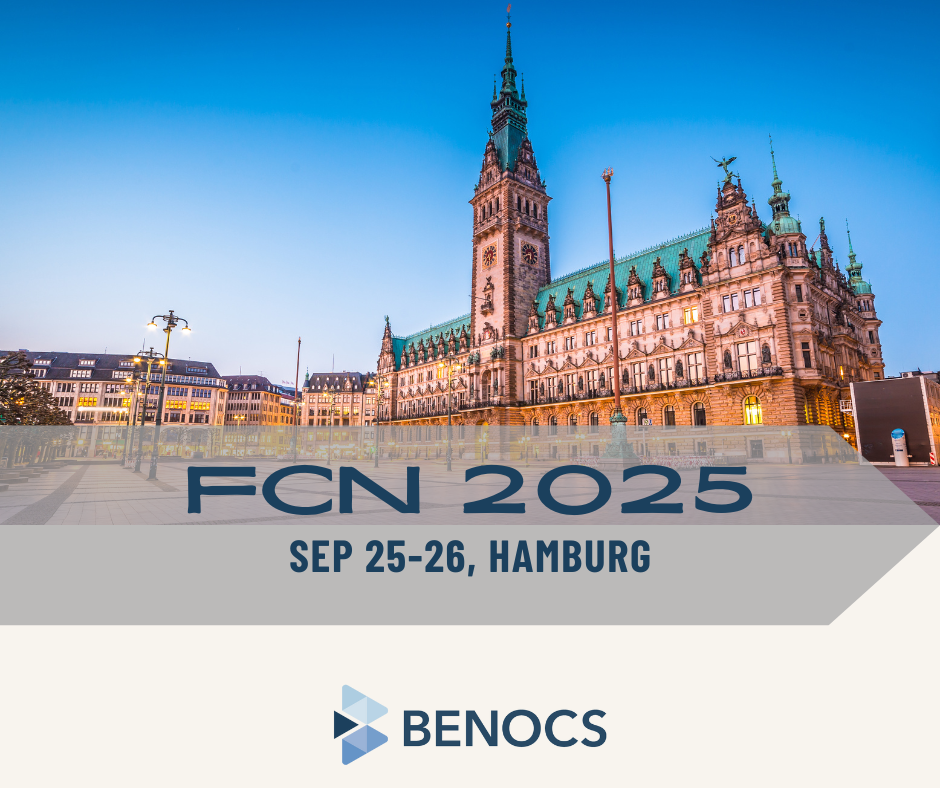
FCN 2025

Historic building in Hamburg with a clock tower, overlaid with event details for FCN 2025, September 25-26.

Next stop: Hamburg!

On September 25-26, BENOCS CTO Ingmar Poese will be at FCN2025, the Future Computing and Networking Workshop, in Hamburg.

With years of research and hands-on experience in network measurement and traffic analysis, Ingmar is looking forward to diving deep into the technical side of interconnection and traffic visibility.

Expect conversations around topics like ingress point detection, flow-based capacity planning, and how real-time analytics can uncover hidden patterns in IP networks.

If you’re in Hamburg, don’t miss Ingmar at FCN. He’ll be ready to exchange ideas, compare approaches, and discuss how data-driven insights can make networks more efficient and reliable.

Flow-based insights at BalticNOG

Péter presenting at BalticNOG 2025, promoting a session on performance measurement on September 24-25 in Vilnius.

Probes are great for spotting issues at the network edge, but how do you know what their alerts actually mean for the rest of your traffic? And how can you link those warnings back to the exact interconnect point?

At BalticNOG you will find out!

On Tuesday, September 24, at 5:00pm, Péter will share a hands-on example showing you how to:

  • Firmly map probes to their interconnect points.
  • Identify which other traffic flows are likely affected by the same problem.

It’s about turning probe alerts from isolated warnings into actionable insights that help you understand the bigger picture.

If you’re at BalticNOG, don’t miss Peter’s talk, especially if you’re curious about making flow-based monitoring more accurate, efficient, and useful.

BalticNOG

The cityscape of Vilinius at dusk. The text reads: BalticNOG, Sep 24-25, Vilnius. At the bottom the BENOCS logo.

A brand-new event on the map!

On September 24–25, Peter will be in Vilnius for the very first BalticNOG. We’re excited to see this new community form and we can’t wait to be part of the conversations around networks, interconnection, and how analytics can make traffic flows more transparent.

If you’re there, please come say hi. Peter’s looking forward to meeting peers from across the region, sharing ideas, and celebrating this kick-off edition together.

Here’s to a strong start for BalticNOG!

Performance measurement goes Flow at EPF

European Peering Forum promotional graphic with event details: date, location, and speaker Stephan from Benocs.

Ever wondered how a probe’s ‘alert’ footprint really maps to the rest of your network? Ever struggled to connect a quality degradation alert back to the exact interconnect point, and then figure out what else might be affected?

Let’s demystify that.

At EPF25 next week, Stephan will walk us through a clear, practical example of how to:

  • Map each probe precisely to its corresponding interconnect point. No guesswork, just solid mapping.
  • Then, go one step further: identify which other traffic flows are likely tangled up in the same issue.

Whether you’re refining monitoring, speeding up incident response, or just curious about making flow-level visibility actionable, this talk shows you how to turn scattered alerts into coherent, signal-rich insight.

Be sure to also stop by the BENOCS booth while you’re there. Stephan, Péter, Ingmar and Suraj look forward to welcoming you!

RONOG

A Bucharest streetscape in the background. The text reads: RONOG Sep 18, Bucharest. At the bottom the BENOCS logo.

Right after EPF 25, the conversations continue at RONOG 10 in Bucharest! 🇷🇴

On September 18, Péter will be there representing BENOCS and ready to meet the Romanian networking community to exchange thoughts on how traffic visibility and analytics can simplify network operations and improve performance.

Hit Peter up for a coffee and get all the latest updates on the BENOCS product roadmap.